
eFootball is getting heavier on PC: it will require 100 GB and more demanding hardware to keep playing
By Redacción UWLG · Source: Vandal

Imagen: Vandal
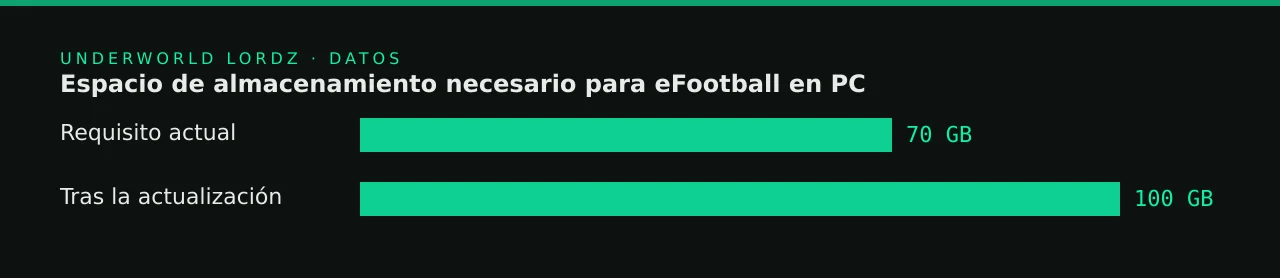
Konami has confirmed that eFootball will raise its minimum and recommended PC requirements with an upcoming update. As reported by Vandal, the Japanese company posted a statement on its official website detailing the new specifications and asking players on Steam and the Xbox PC version to check whether their machines will still be compatible. The most visible change is storage: the game will go from requiring 70 GB to 100 GB of free space.
It might look like a simple technical formality, but it isn't. eFootball is free to play, and a large part of its player base is on modest machines, in internet cafés and on shared PCs. When a free-to-play game raises the hardware bar, the person left behind isn't the enthusiast with a freshly built rig, but the player who joined precisely because they didn't have to pay anything. And in a competitive scene that depends on grassroots talent, that matters.
What you need to know
- The changes will arrive with an upcoming update; Konami has not specified a date in the information available.
- Required storage space goes up from 70 GB to 100 GB, meaning an extra 30 GB.
- Graphics card and processor requirements are increasing, for both minimum and recommended specs.
- RAM stays the same: the minimum is still 8 GB.
- It affects the Steam and Xbox PC versions, whose users should check their machines' compatibility.
What's changing and who it affects
Based on the figures published by Vandal, the new minimum processor is set at an Intel Core i5-2300 or an AMD Ryzen 3 3100, alongside 8 GB of RAM. Full graphics card details aren't included in the information we have, so it's worth checking Konami's official statement before drawing conclusions about your specific GPU. Here's what can be compared with confidence:
| Category | Before | After the update |
|---|---|---|
| Available storage | 70 GB | 100 GB |
| Minimum RAM | 8 GB | 8 GB (unchanged) |
| Minimum processor | Not specified in the source | Intel Core i5-2300 / AMD Ryzen 3 3100 |
| Graphics card | Not specified in the source | More demanding (check the official statement) |
The 30 GB jump is what will hurt most in practice. Many players have their system on a small SSD and the rest of their games spread wherever they fit. Adding almost 43% more space means clearing things out or moving the install to a slower drive, with all that implies for loading times. Keeping RAM the same is good news, but it doesn't make up for the rest if your graphics card or CPU falls below the new cutoff.
Those most at risk
The most at-risk setups are clear: laptops several generations old, office PCs repurposed for gaming and internet café machines that aren't upgraded often. In Latin America, where hardware prices hit people's wallets much harder, increases like this have a real impact on who can keep competing from home.
Our take
Here at Underworld Lordz, we understand that a live game has to evolve, and that improving graphics, animations or content eventually takes its toll on hardware. What we find hard to accept is a free-to-play game, whose main selling point is accessibility, continuing to bloat without an equivalent effort on optimisation. Thirty more gigabytes aren't just prettier textures: they're players left standing at the door. We'd like Konami to explain exactly what the community gets in return for that price.
For competitive players, the message is simple: check your setup before the patch lands, not on tournament day. A game that suddenly runs worse or won't launch can knock you out of a qualifier. Free up space in advance, check your graphics card against the official statement and, if you're right on the edge, test it in friendly matches before risking points in ranked.
For content creators there's an extra layer. If you play and stream from the same machine, every resource counts, and a heavier game might force you to lower your stream quality or give up recording locally. It's a good time to remind your audience to check their setups: a useful video on requirements usually performs much better than yet another card breakdown.
What do you think?
Can your PC handle the change, or do you need to free up space, or even think about an upgrade? We'd like to know how many of our players are affected before the update arrives. Tell us in the team chat or on our Discord: do you think Konami is justified in raising the requirements of a free game, or should it focus on optimisation first?
…
Your turn
What do you think?
Share your take in the team chat or on Discord. We feature the best opinions in the next article.
How did it land?
Community takes
…